
Weather forecasting is incredibly important to our world.
Weather is a global phenomenon. It doesn’t know any borders, and changes in one place of the planet can severely impact any other given place on the planet. As you know - weather changes everything. That’s why it’s incredibly important that are good at weather forecasting.
And so I was curious, how does weather forecasting actually work? Where does data start and what happens next?

Step 1: Collect data from everywhere
Weather forecasting starts with collecting data. Data is collected from a very large number of different points on the planet and is available to virtually anybody that wants to use this data through the World Meteorological Organization.
There are over 17,500 surface stations around the world where atmospheric pressure, wind speed and direction, air temperature, and relative humidity are measured. Beyond that, at least at a thousand places weather balloons are lifted off once or multiple times a day, which collect data from upper air streams. Next up, about 4,000 ships and 1,200 drifting buoys also collect data from both air as well as sea.
And lastly, many of the different planes flying around the world also collect and share meteorological information. Over 4,000 aircraft report pressure, winds, temperature, humidity, turbulence and other parameters.
Lots of data! But it’s not homogenenously distributed. The density of measurements from Africa and South America is significantly lower. But it’s the same planet, and so the lack of data is not just a local issue, but limits our capability to predict weather changes across the world!
It’s estimated that for every dollar invested in increase data collection density, at least twenty-six dollar in return can be realized.1
Step 2: Throw data into supercomputer
All this data is put into Numerical Weather Prediction models, which are massive simulations of the atmosphere. These models are ran on supercomputers, usually operated by national meteorological institutes. There are a few of these supercomputers around the world. Notably there is a large one in the USA, one Europe-wide in Italy, and a few others in large countries.
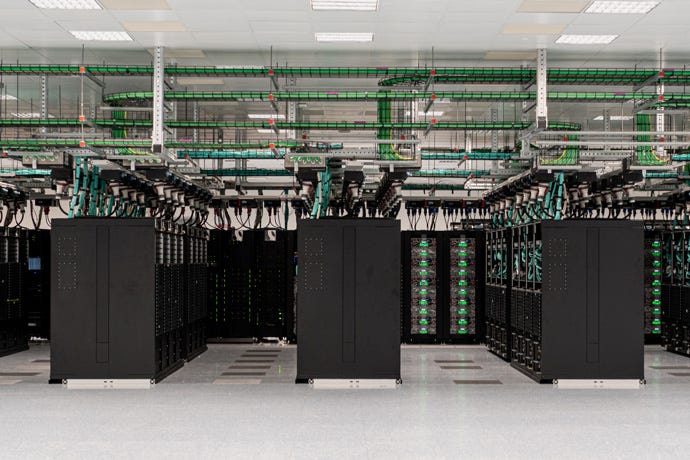
Interestingly, the models these computers run tend to be available for use by anyone. The Global Forecast System (GFS) model of the US National Weather Service is great in resolution and accuracy and its data is open-access. The Euro model (ECMWF) is a better model, but access is somewhat restricted. Then many countries operate local models that provide higher accuracy and higher resolution for that specific country.
The data out of these models usually becomes available a few times a day. The GFS is published twice a day, but most meteorological institutes then also release incremental models that provide data in between the more limited publications of the large models.
Step 3: Consume models in apps
You’re still not getting a prediction! There is a bunch of data that is free to use, but its’s not yet in an easy-to-consume format. It’s here where apps and websites use this data and make it presentable to you.
Apps usually make use of different models for different types of prediction. For example, if you’re looking at the forecast for the next week, they might rely on a large GFS-like model. However, if you’re just curious about whether it’s going to rain in the next hour, they likely make use of radar data of the local meteorological institute.
Why certain apps are better at predicting the weather
Almost entirely depending on how ambitious and cunning apps are in combining weather data sources defines how good they are at keeping you dry. When you’re in a country, the local weather apps are more likely to use local weather sources and therefore tend to be better at forecasting the weather there.
I haven’t found one truly great weather app just yet. Here in the Netherlands we have Buienradar, that relies on local radar to predict rain. It’s OK at best, but very accurate.
Worldwide, I tend to use the weather app built-into iOS. Apple is a very ambitious company and usually has more detailed information depending on the country you’re in. I’ve found the iOS weather app to be between OK and amazing depending on the country.
So can I build my own weather app?
YES! And I did so to prove it! I used the API from the KMNI and used Codex CLI to create a little weather app that gives me current precipitation as well as the forecast based on radar data. It works, it’s updated in real time, and it took me about 20 minutes watching the command line to get it to the place where it is right now.
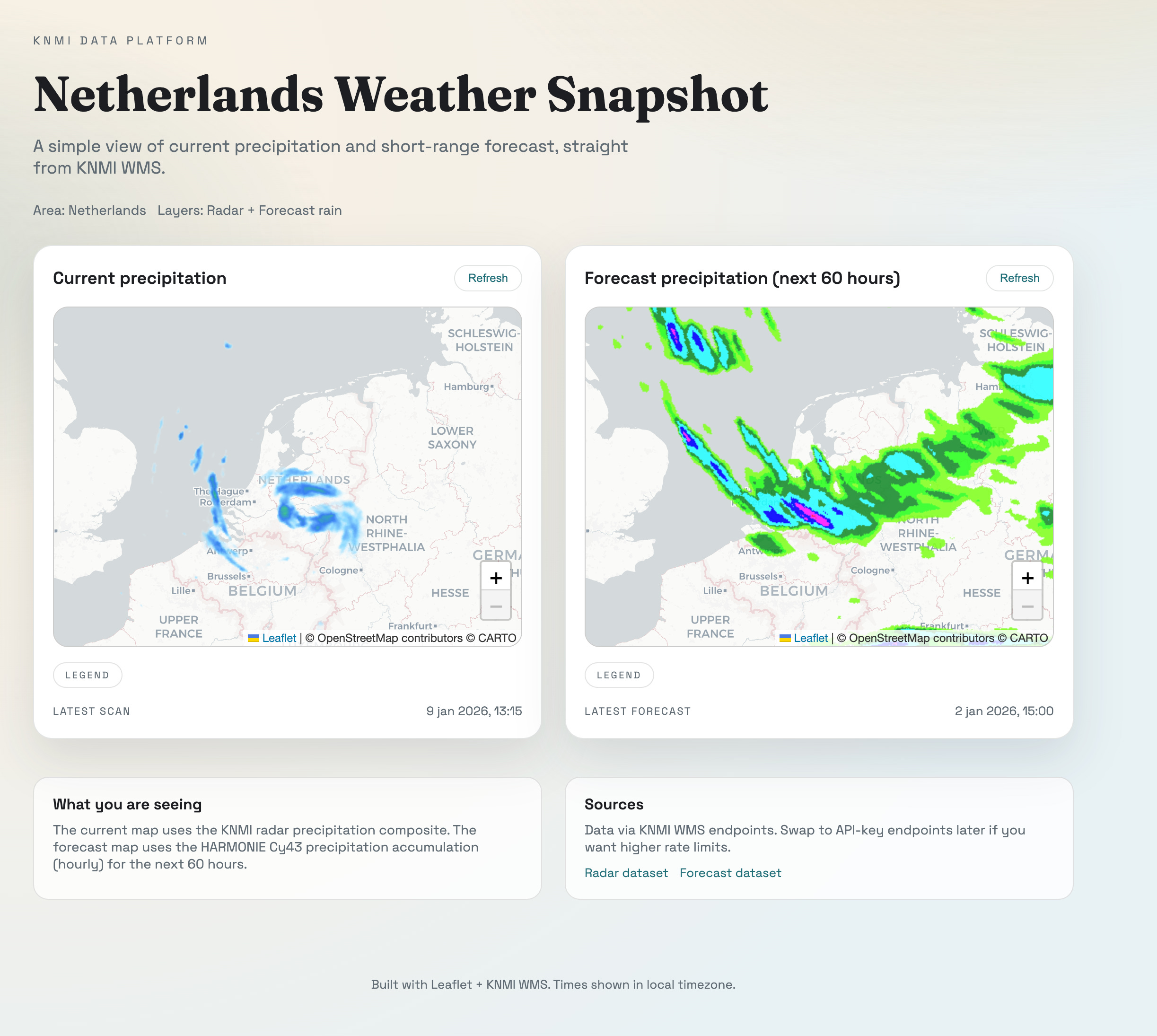
I have zero plans of open sourcing this or otherwise making it available, because it’s a fun exercise to do yourself! All I had to do was sign up for an API key at knmi.nl and make it available in a repository.
Given this took me 20 minutes, you can imagine that the sky is the limit from here. You can make an app that does the exact thing you’d want from a weather app. The data is freely available and thanks to AI, easy to consume now as well!
https://wmo.int/news/media-centre/wmo-overhauls-data-exchange-policy#:~:text=Closing%20the%20GBON%20gap%20is,economic%20return%20could%20be%20realized